BAM Blender Automat


BAM - Blender AutoMat: Universal Tool for Batch Setup/Update of Materials in Blender
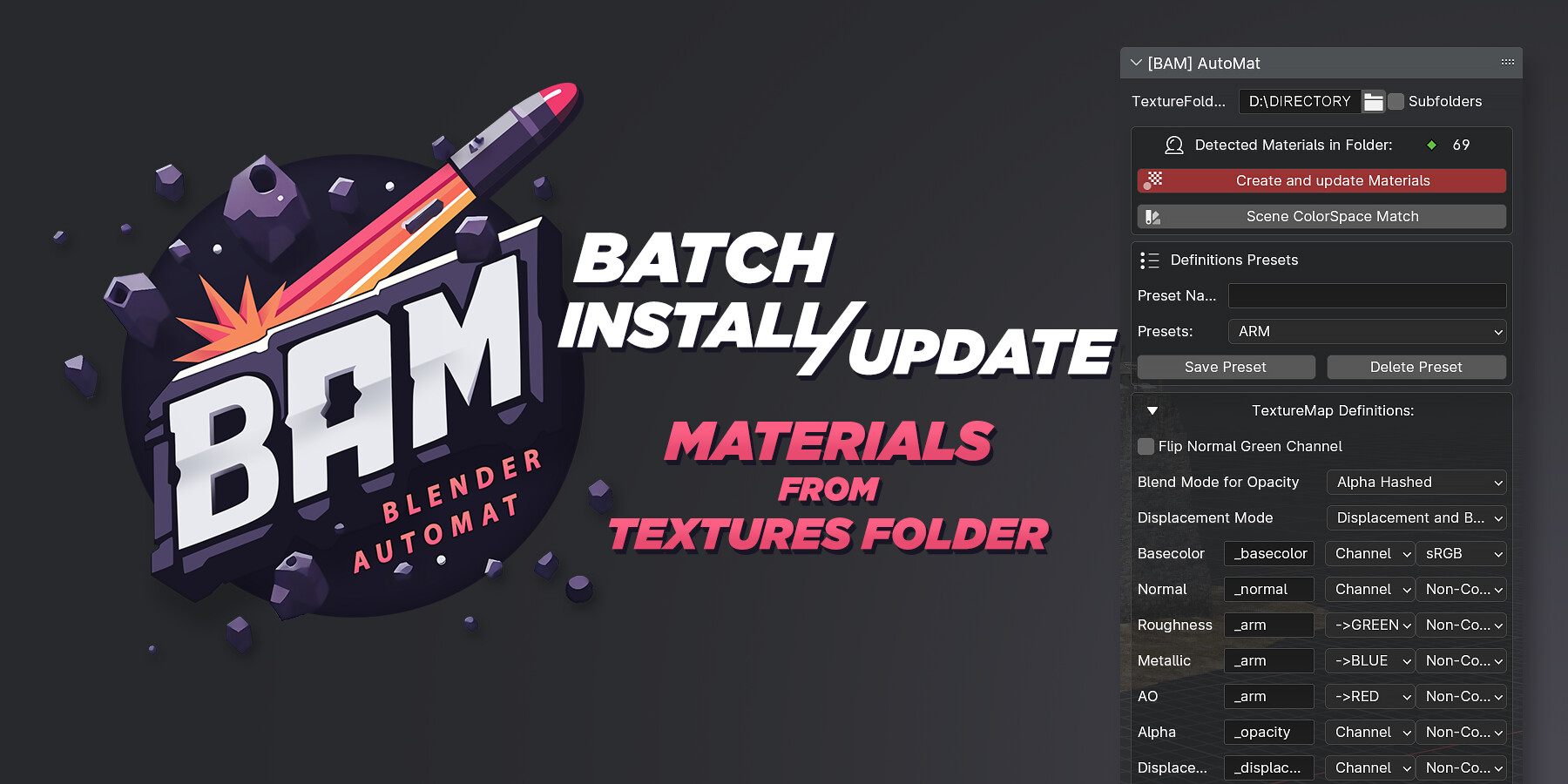
Setup hundreds of materials from your texture library in 1 click and manage them with the easy-to-use Material Manager.
BAM - Blender AutoMat Story
A couple of years ago, I conceived the idea of creating an instrument for Blender that could handle the mass installation of materials and facilitate convenient workflows, similar to what I had in Maya. At the time, there were no similar tools available for Blender.
As the Lead Technical Material Artist at Kitbash3D, specializing in material creation and texturing for large 3D Kits with Substance 3D, I needed a tool that would enable a seamless transition from Maya to Blender for handling a vast number of objects and materials. This need drove me to develop the BAM addon, which has gradually evolved to incorporate all necessary functionalities.
Today, I continue to refine this tool while learning Blender and Python in parallel. Many thanks to the Kitbash3D artists for their help with BAM testing.
You can Download the Addon absolutely FREE at my My Artstation and in another blender addon resources ;)
Blender Marketplace Dev Fund = 100%
Description:
- Working with multiple objects and numerous materials in Blender is now much easier with BAM.
- This addon is especially useful if you create many materials in Substance Designer and need to use them in large projects or build your own Materials Library
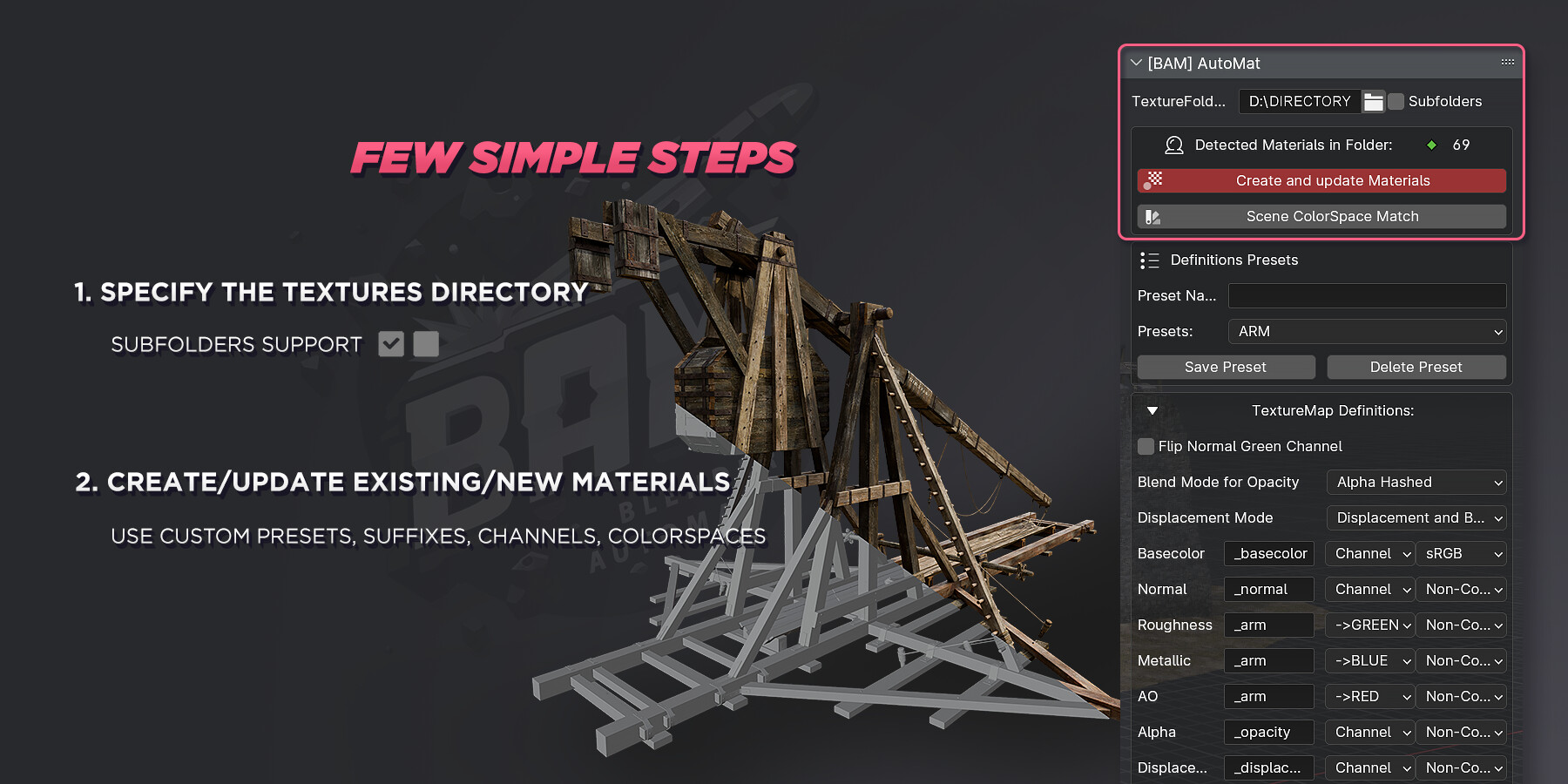
- BAM allows you to create new materials or update existing ones directly from your texture folder. It supports subfolders, custom suffixes, color spaces, presets, OpenGL/DirectX normals, and even channel selection for plug-in textures.
- The tool optimizes material creation by avoiding endless duplicates of the same texture data-blocks, utilizing existing ones instead.
- Materials are identified by the presence of a BaseColor texture
Customize presets:
Create Unique Presets: Customize your own packaged texture maps, such as ARM, by selecting a color channel for each texture.
- _Suffix - Image RGB Channel - ColorSpace
- Multi Suffix support , example: _basecolor, _albedo
- Automatic upper and lower case recognition.
Colorspace Control:
- Color Space Settings: Set the color space of each texture relative to its suffix for correct display.
- Apply color space settings to all texture files in your scene.
Materials create/update filter:
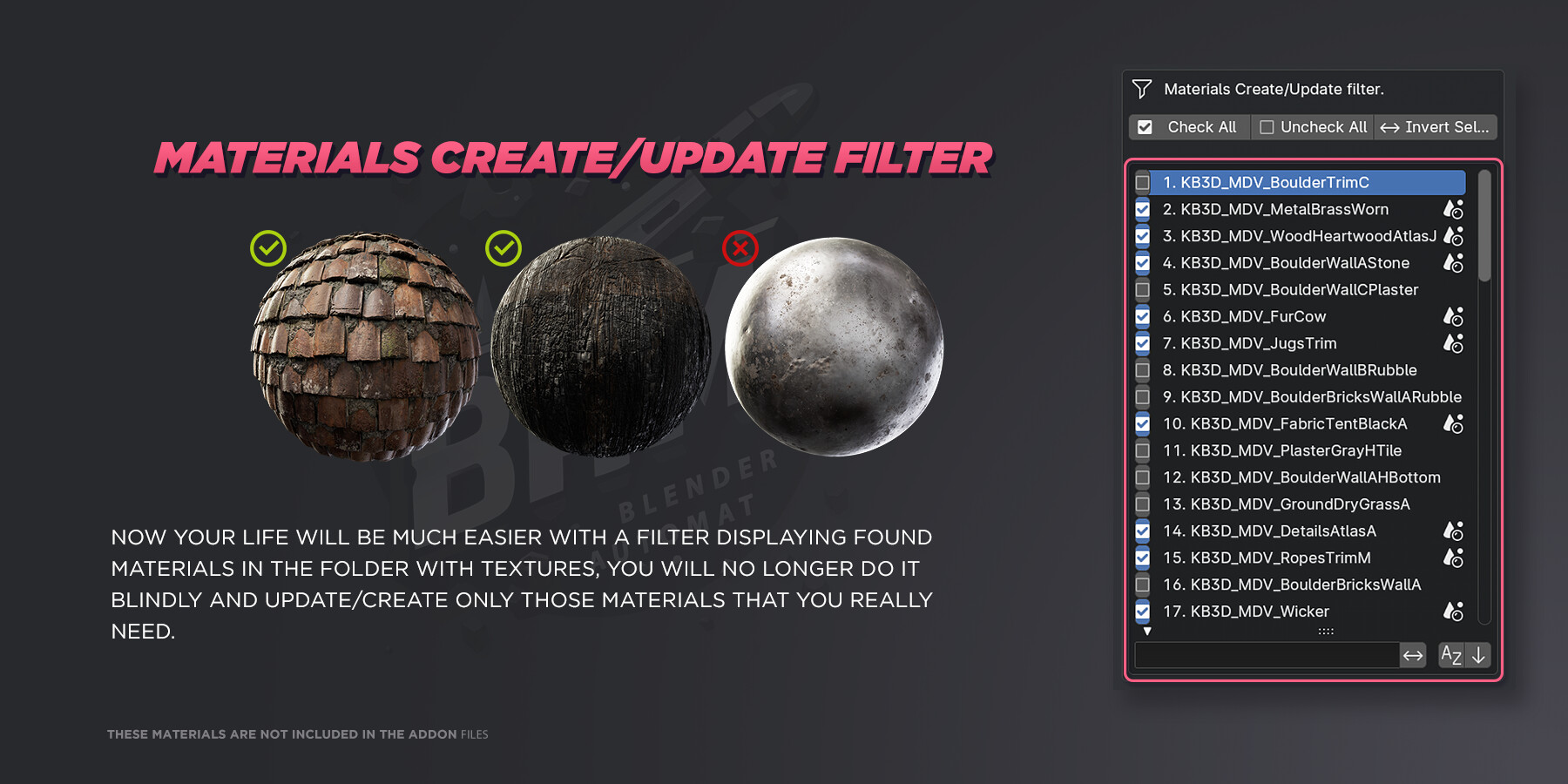
- Selective Material Creation/Update: Create or update only the materials you need.
- BAM will prompt you to create new materials that are not already in the scene and label materials that are already present.
- Additional buttons to interact with the filter: Check ALL, Uncheck All, and Invert will give you more comfort.
BAM MaterialManager Description:
All of this along with the easy-to-use and simple Material Manager.
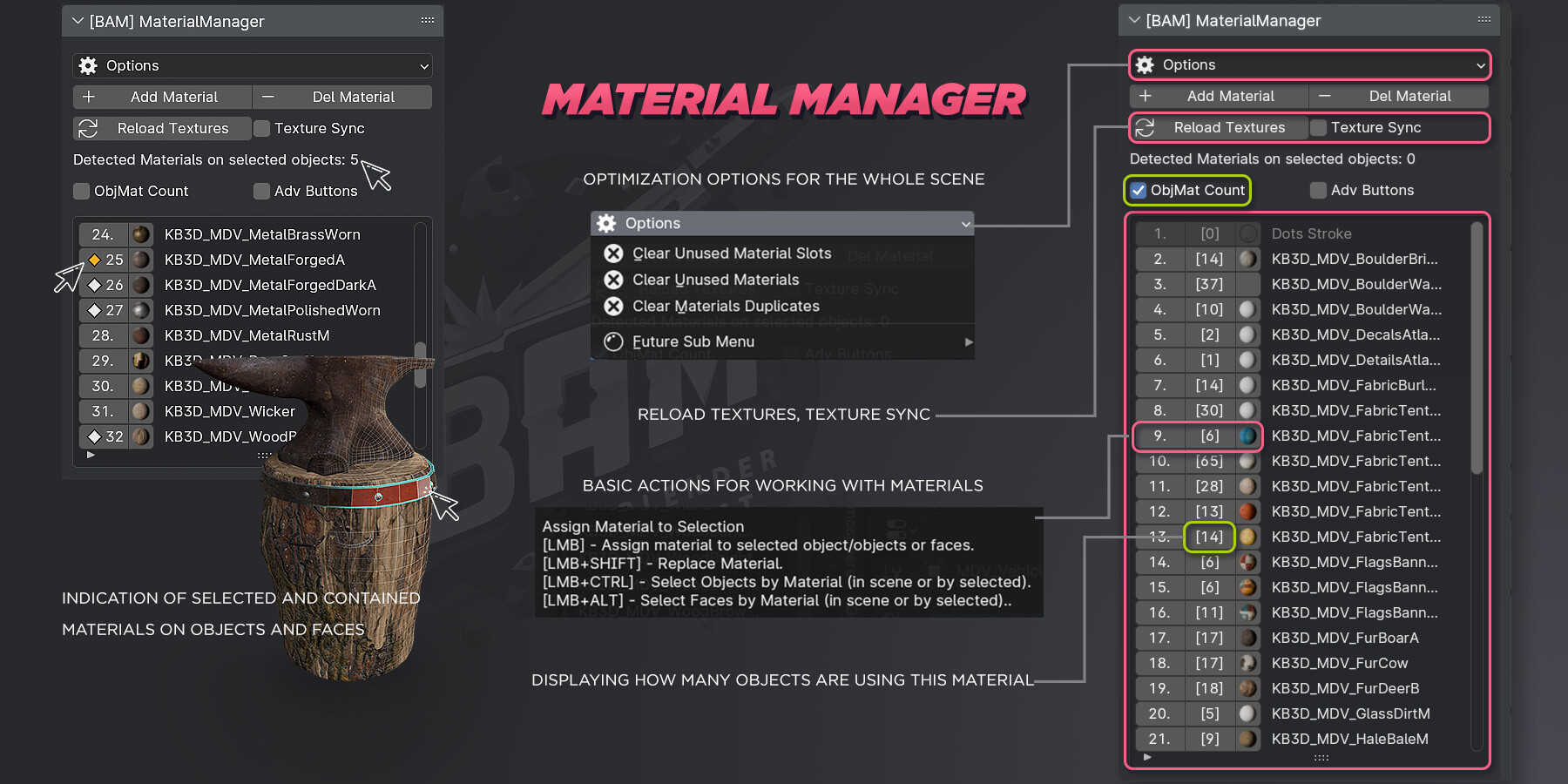
Create, delete, replace, select and analyze.
In addition to the basic options you will be able to:
- Select all objects in a scene(or by selection) by material.
- Select all Faces in the scene (or by selection) by material.
- Replace one material with another, taking into account objects and faces.
Optimization options:
- Mass Cleanup of unused Material Slots, for all non-hidden objects in the scene.
- Mass Cleanup unused Materials, for all unhidden objects in the scene.
- Fix duplicate materials with further reassignment to objects.
Indication options:
- Now when you select an object or a group of objects, you will always know what materials are present on them.
- Also when selecting Faces you will see additional indications of selected materials
Texture Update Options:
- Update the material textures of the selected object or objects.
- Also you can enable texture synchronization to automatically update textures from the moment of its activation, like Maya.
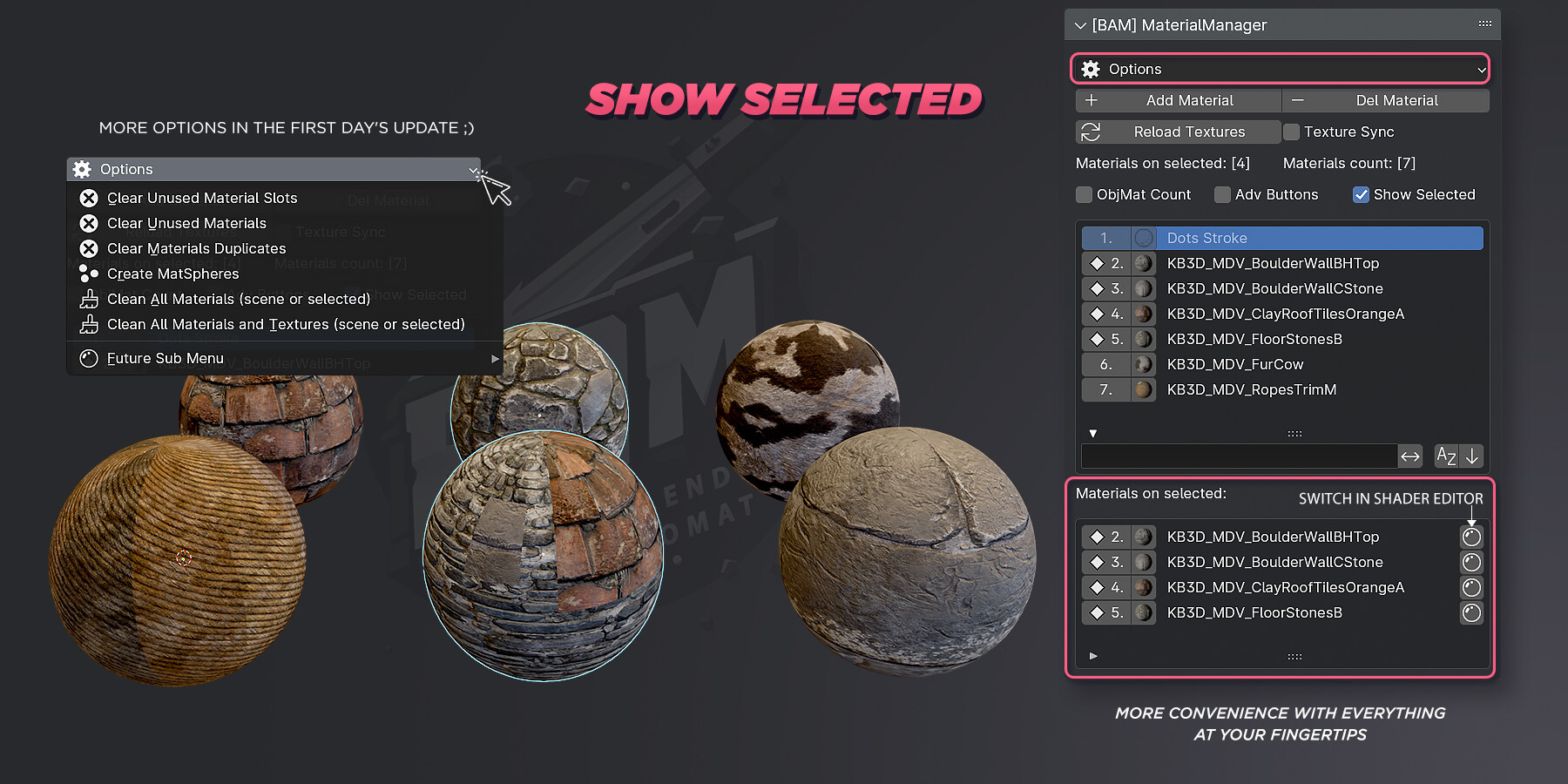
MaterialManager Show Selected:
Manage your materials without taking a break from the process. The additional List "Materials on Selected" helps you make your work much more convenient.
As well as more options available in the first day update and in future updates ;)
You can Download the Addon absolutely FREE at my My Artstation and in another blender addon resources ;)
This is FREE Addon, Blender Marketplace Dev Fund = 100%
Release Notes
Changelog:
Ver 1.0.1
- I fixed the code issue with the Transmission map setup, which could lead to a material creation error.
- Added support for Blender 4.2 (fixed a bug that caused an error in the new version)
Ver 1.0.2:
- Changes in the blender_manifest
- Category of addon changed to Material
- Minor UI changes: added new icons and now the Materials Create/Update filter block can be collapsed.
- Minor UI changes: added Force Refresh button near Textures Folder input
Ver 1.0.3:
- Addon Preferences changes
- Added Customizable: Category, Space Type, Region Type in addon preferences.
Ver 1.0.4:
- Some code refactoring
- Fixed a problem causing conflict with other addons in some cases, in particular with xDecal. Thanks to the xDecal community for the feedback and for helping to provide debugging information.
Ver 1.1.0:
-
Most likely, the material_presets presets file will be replaced after the current update, in a future update, expect a new preset system that will not be affected by updates so that presets are not overwritten.
WHATS NEW:- Code refactoring
- Performance improvements
- New preference UI and functions
- Preferences: Images Format Manager
- Material Overlay
- Delete material button new Mode. Delete Material + Textures Data
- Material Preview
- Option: Clean unused mat slot new Mode. (Action for whole scene or only for selected objects)
- ColorSpaces profiles : Added all potential options
- Material Pipette
- Roughness Invert Mode
- Duplicate Material btn
- Better logs presentation/decoration
-
FIXES:
- Filter bug. After Scan of the materials in the folder, the checkboxes of the existing materials in the scene will be turned off by default.
- Scene ColorSpace Match fixes
- Custom Property fixes
Ver 1.1.1:
Improvements
- Material Overlay now works for objects with modifiers
- Presets system now creates separate preset files and should not replace custom ones when updating the addon.
Ver 1.1.2:
Improvements
- Minor fixes related to the bug of missing UI in the Material Manager.
- The Options drop-down list has been renamed to Utilities
Ver 1.1.3:
Improvements
Utilities:
- Reworked Create MatSpheres Grid function to create a grid with materials and their names. Now the Grid takes into account already created MatSpheres and is able to continue the grid when called again without creating duplicates.
MaterialManager:
- (Blender 4.5 Vulkan) Fixed an error related to materials thumbnails leading to blender crashes.
- Add, Delete, Duplicate material buttons they were replaced with buttons located in a new vertical panel to the right of the materials list.
- Add Material: Added Set Fake User parameter checkbox
- Fake User controls were added to main material list
AutoMat:
- Redesigned Presets UI
- Set Fake User checkbox it was added to the right of the Create and update Materials button.
- Color Space btn and Definitions now they are available even without specifying a folder with textures.
- Added *.TIF format to default addon preferences. It is added on the first clean launch of the addon. Everyone else can add any image formats to the Addon's Preferences
- Now it will be even easier to place the addon panels where you will be more comfortable ;).
Addon panels do not support display in all possible Regions Types and Space Types
# BAM Automat v1.1.6 — Major Update
## ✨ Highlights
- **Alpha Channel Definition Support**
Added full alpha map channel definition and integration for precise transparency control.
- **MatsAsset [BETA]**
Add materials to your Asset Library with just a few clicks — including automatic asset tagging and preview generation.
- **Relative Path Texture Creation Support**
Now supports relative paths when creating materials from textures, ensuring portability across projects.
- **Specular Tint Controls**
- Fixed incorrect Specular Tint value — now **white by default**, or **0.5** for older Blender versions.
- Added Specular Tint **default value UI control** for manual adjustment.
---
## 💡 Improvements
- **Displacement Value Control**
Default value set to `0.01` with a dedicated UI control.
- **Emissive Map Behavior**
Emissive value now defaults to `1.0` for materials with emissive maps.
- **Preset Switching Stability**
Switching presets no longer alters the state of checkboxes in the filter list.
- **Shader Graph Enhancements**
- Mapping control nodes are restored.
- Improved node alignment for cleaner and more readable shader graphs.
---
## 🧩 Compatibility
- Verified for **Blender 4.2+**
- Backward-compatible with **Blender 3.6+** material definitions and presets.
---
Changelog BAM Automat v1.2.0 — Major Update, Blender 5.0 Support
✨ Highlights, Improvements
- Blender 5.0 Support!
- A new Displacement MidLevel parameter (Default: 0.0) has been added to the UI.
- Added auto IOR assignment based on base material names + Default IOR 1.45
IOR_DEFAULT = 1.45
# Glass & transparent
"glass": 1.5,
"window": 1.5,
# Liquids
"water": 1.325,
"liquid": 1.325,
"ice": 1.309,
# Asphalt / road
"asphalt": 1.635,
"road": 1.635,
"tar": 1.635,
# Plastics
"plastic": 1.46,
"rubber": 1.519,
- Reworked Presets system. Custom presets will now be created in the Config folder and will not be replaced when the addon is updated. Blender\x.x\config\BAM\presets. + You can also overwrite default presets.
- Shader Graph Enhancements: merged duplicate Separate XYZ nodes. Displacement Nodes Position Improvements
🔧 Fixes, Misc changes
- Fixed editing the Texture Folder Path
- Blender 4.5 - 5.0 Now use SeparateXYZ instead of LegacySeparateRGB
## 🛠 Author
Developed by AlexeyHRDesign https://www.artstation.com/hrdesign
ArtStation Profile For feedback: alexeyhrdesign@gmail.com